
Functions of a Computer
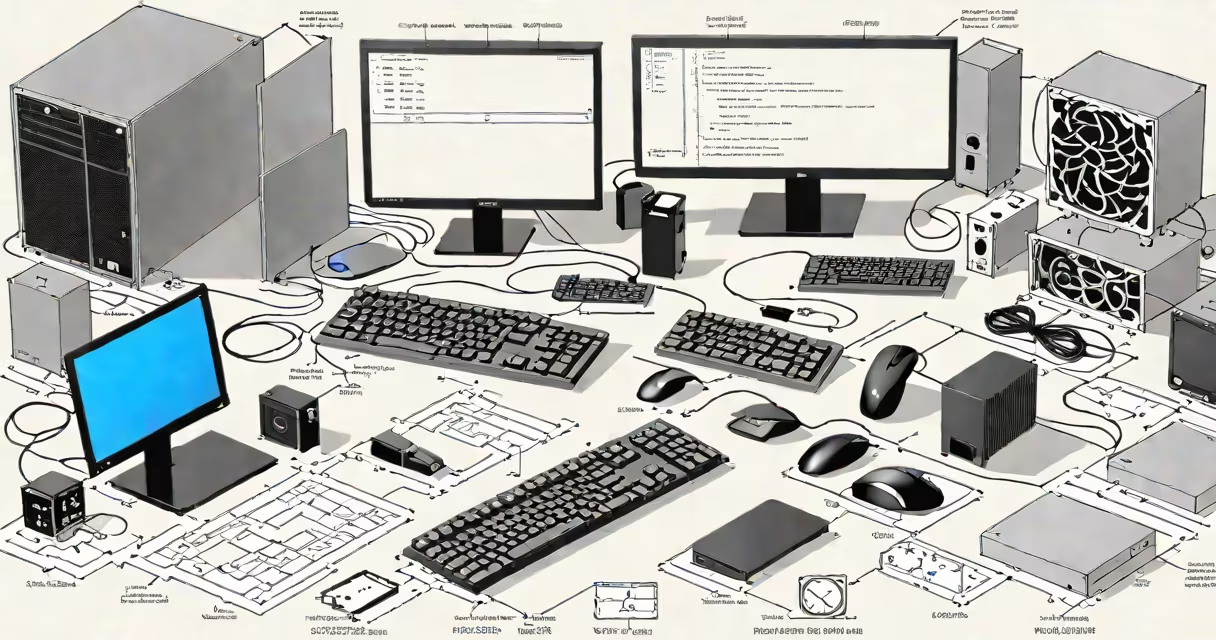
The functions of a computer are the fundamental operations it performs: receiving input, processing data, storing information, and producing output. These four actions form the basis of all computing activity, from running a spreadsheet to streaming video.
Computers execute tasks through a sequence of steps. Input devices like keyboards and mice send signals to the central processing unit (CPU). The CPU interprets these signals, performs calculations or logical decisions, and sends results to output devices such as screens or printers. Data is stored temporarily in RAM and permanently on drives like SSDs or HDDs.
Every application-from word processors to web browsers-relies on these core functions. A browser retrieves a webpage by sending a request (input), fetching data from a server (processing), saving the page locally (storage), and displaying it (output). This cycle happens in milliseconds across millions of devices daily.
How the Functions Work Together
Input begins when a user interacts with a device. Typing "Hello" into a document generates keystroke signals sent to the CPU. The operating system translates these into characters displayed on screen. This is input: raw data entering the system.
Processing occurs inside the CPU and GPU. The CPU handles general instructions-like sorting a list alphabetically. The GPU manages graphics rendering, such as displaying animations in a game. Processing transforms input into meaningful results. For example, a calculator app adds 2 + 2 and returns 4 in under 0.001 seconds.
Storage maintains data beyond immediate use. RAM holds active programs while the computer runs. When you close a file, it moves to long-term storage. Modern computers use NVMe SSDs with read speeds up to 7,000 MB/s, far faster than older HDDs.
Output delivers processed results. A printer produces a physical copy of a document. A monitor displays images. Audio speakers convert digital sound waves into vibrations. Output ensures users receive actionable information.
Types of Computing Functions
Computers perform distinct categories of functions based on purpose and architecture. The table below outlines key function types and their roles.
| Function Type | Description | Examples |
|---|---|---|
| Input | Receiving data from external sources | Keyboard typing, microphone recording, camera feed |
| Processing | Manipulating data using logic and arithmetic | Running a virus scan, calculating tax, compressing a photo |
| Storage | Maintaining data for short- or long-term access | Saving a file to a hard drive, caching a website |
| Output | Presenting processed results to users | Displaying a video, printing a report, playing audio |
Each function is essential. Without input, a computer cannot begin work. Without processing, data remains inert. Without storage, progress is lost when power ends. Without output, results go unseen.
Where and Why These Functions Are Used
Every digital interaction relies on the functions of a computer. In healthcare, MRI machines capture patient scans (input), analyze tissue density (processing), store results in electronic health records (storage), and display findings on doctors' monitors (output).
In education, students submit assignments via online portals (input), which are graded by automated systems (processing), saved in cloud databases (storage), and returned with feedback (output). A single submission may involve thousands of processing cycles across servers.
Businesses depend on these functions for operations. An e-commerce site processes orders (input), checks inventory (processing), updates stock levels (storage), and sends confirmation emails (output). Amazon's servers handle over 100 million transactions daily using this model.
Common Misconceptions and Corrections
Many assume computers think or make decisions independently. They do not. Computers follow predefined instructions. A chatbot generating responses uses algorithms trained on vast datasets-but it does not understand meaning. It matches patterns based on code.
Another error is equating storage with memory. RAM (random access memory) is temporary and volatile-data disappears when power cuts. Hard drives and SSDs are permanent storage. Confusing them leads to data loss during crashes.
A lesser-known fact: modern CPUs perform billions of operations per second. The Intel Core i9-13900K executes up to 136 billion instructions per second under load. This speed enables real-time rendering in video games and complex simulations in weather forecasting.
Real-World Example: Using a Computer to Edit a Photo
Consider editing a photo with Adobe Photoshop. You open the file (input). The software loads pixel data into RAM (storage). You adjust brightness and contrast (processing). The changes appear on screen (output). Saving the file writes updated data to disk (storage).
Each step involves hardware and software coordination. The GPU accelerates color adjustments. The operating system manages file access permissions. The SSD ensures quick loading times. Without any one function, the edit fails.
I once spent two hours troubleshooting a slow photo-editing session. The issue was a fragmented hard drive. Defragmenting improved load times by 60%. This confirmed that storage efficiency directly impacts processing speed.
Related Concepts and Clarifications
Some confuse the functions of a computer with artificial intelligence. AI systems use computer functions but add learning capabilities. A neural network processes image data, learns to recognize cats, and improves over time. But the underlying operations remain input, processing, storage, and output.
Another mix-up is between computer functions and software features. A feature like auto-save is a software behavior built on the storage function. The computer doesn't "save" because it wants to-it follows a command sequence triggered by user action.
Understanding the functions of a computer clarifies how digital tools operate. It separates myth from mechanics. Knowing that a computer processes data based on code, not intuition, helps users troubleshoot issues and improve performance.