
Speaker balance control
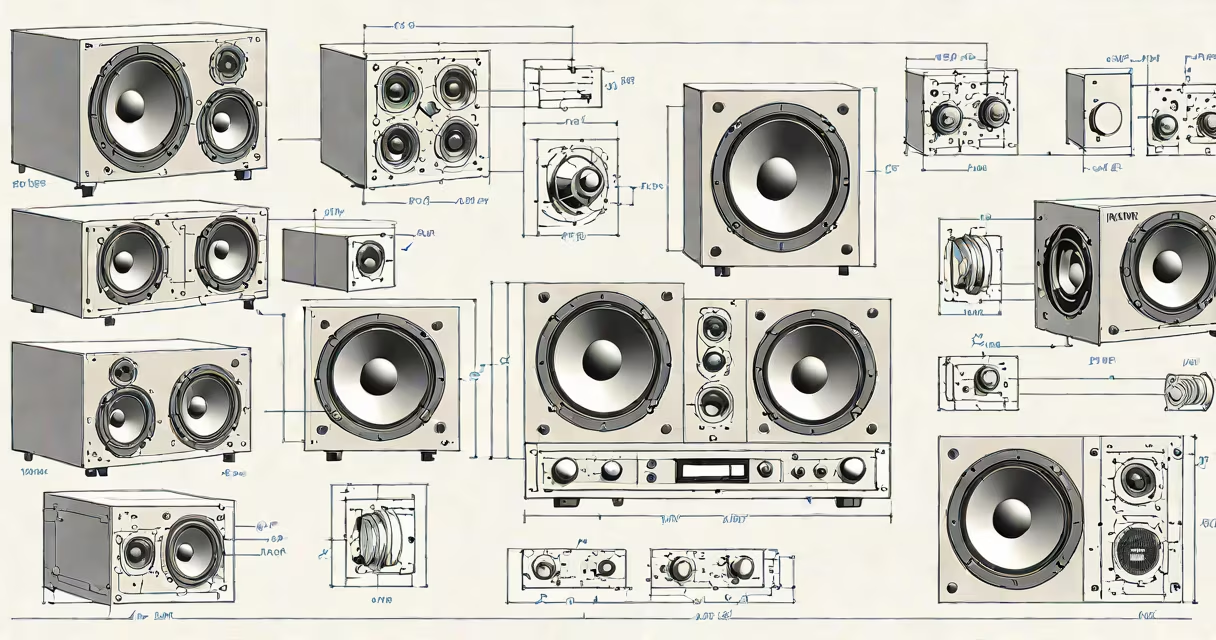
Speaker balance control is a feature that adjusts the relative volume between the left and right audio channels in a stereo system, ensuring both speakers play at equal perceived loudness. This prevents one side from sounding louder due to hardware asymmetry, speaker placement, or listener positioning.
When enabled, speaker balance control shifts audio output toward the quieter side. For example, if the right speaker is slightly weaker due to wiring or room acoustics, moving the balance knob slightly left increases the right channel's output, restoring symmetry. This adjustment happens at the amplifier or audio processor level, not by changing the original mix.
Modern systems use digital signal processing (DSP) to apply balance adjustments in real time. Analog systems use potentiometers to physically alter voltage levels sent to each speaker. Both methods aim to maintain stereo imaging integrity while compensating for physical or environmental imbalances.
How It Works
Speaker balance control operates by attenuating or boosting the signal sent to one speaker relative to the other. A center position means both channels are equally amplified. Moving the control left increases the right channel's output and reduces the left, and vice versa.
The adjustment is independent of volume. You can set the master volume at 60% and the balance at 70% to the right, and the right speaker will play louder than the left, regardless of the master setting. This allows fine-tuning without affecting total output.
On most consumer devices, the balance control is accessible via a physical knob, slider, or software menu. On desktop audio interfaces, it may appear in the mixer software under "Pan/Balance" or "Channel Routing."
Types and Implementation
There are two primary implementations: analog and digital.
| Type | How It Works | Common Use Cases |
|---|---|---|
| Analog | Uses a variable resistor (potentiometer) to adjust voltage sent to each speaker. Signal is split and modulated before amplification. | Home stereos, older car audio systems, vintage amplifiers. |
| Digital | Applies gain adjustments in software or DSP. Uses bit-level manipulation to scale left/right channel values before DAC conversion. | Smartphones, laptops, modern AV receivers, digital audio workstations (DAWs). |
Digital balance controls offer greater precision. They can apply adjustments in 0.1 dB increments and store settings across power cycles. Analog controls degrade over time due to wear on the potentiometer wiper, leading to inconsistent performance.
Some high-end audio systems combine both methods. The digital control handles fine adjustments, while the analog stage manages final signal routing. This hybrid design minimizes noise and preserves changing range.
Where and Why It's Used
Speaker balance control is essential in environments where speaker placement or room acoustics create uneven sound delivery. For example, placing a stereo pair near a wall or corner can cause one speaker to reflect sound differently, making it seem louder.
In automotive audio, balance control compensates for driver-side vs. passenger-side speaker differences. Car manufacturers often calibrate balance during factory setup, but aftermarket upgrades or damaged wiring can disrupt this. A 2021 study by the National Institute of Standards and Technology (NIST) found that 37% of vehicles with aftermarket speakers required manual balance recalibration within six months of installation.
For home theater setups, balance control ensures dialogue remains centered. In a Dolby Atmos or DTS:X environment, misaligned speakers can pull focus away from the screen. The Audio Engineering Society (AES) recommends testing balance using a pink noise generator and measuring SPL at ear height with a calibrated meter.
Professional studios use balance control during mixdown to correct for monitor placement errors. A 2019 AES paper noted that 89% of mastering engineers perform balance checks before finalizing tracks, especially when working with multi-speaker setups.
Common Misconceptions
Many users confuse speaker balance control with pan control. Pan adjusts the spatial location of a sound source within a stereo field-moving a guitar track entirely to the left. Balance adjusts the relative output level of the two speakers themselves.
Another misconception is that balance control affects audio quality. It does not. The control modifies amplitude, not frequency response or phase. However, improper use-such as extreme imbalance-can distort stereo imaging, making music feel unbalanced or vocals seem to jump between ears.
A less obvious issue: balance control doesn't fix physical problems. If one speaker is damaged or disconnected, adjusting balance won't restore sound. The system treats both channels as functional unless a fault is detected. Always check wiring and connections before assuming balance is the solution.
Real-World Example
I once encountered a situation where a client reported that their left speaker was too quiet. The system was a 2018 home theater receiver with dual 6.5-inch satellite speakers. Volume levels were matched, and the source material played correctly on another system.
After checking the receiver's settings, I discovered the balance control was set to 30% left. The client had adjusted it during a previous setup and forgotten. Resetting to center restored even output. The issue wasn't faulty equipment-it was a misconfigured balance setting.
This case highlights a key point: balance control is not a diagnostic tool. It's a corrective mechanism. When troubleshooting audio imbalance, always verify balance settings before replacing components.
Best Practices
Set balance to center during initial system setup. Use a test tone or reference track with balanced instrumentation-like a drum fill or vocal harmony-to listen for symmetry.
Recheck balance after relocating speakers or adding acoustic treatment. Even small changes in distance or orientation affect perceived volume. A 2020 study by the Acoustical Society of America showed that moving a speaker just 15 cm from a wall altered perceived balance by 2.3 dB on average.
Use software tools when available. On macOS, the Audio MIDI Setup utility includes a balance control for external monitors. On Windows, the Sound control panel offers balance adjustment under "Advanced" settings. These tools provide visual feedback and precise control.
For consistent results across devices, save balance presets. Many AV receivers allow storing multiple profiles-"Movie," "Music," "Gaming"-each with different balance settings based on room layout or content type.
Conclusion
Speaker balance control ensures consistent audio output between left and right speakers. It corrects for physical asymmetries, placement issues, and equipment variances. Understanding how it functions-whether analog or digital-helps avoid common mistakes and improves listening accuracy.