
What Is an IP Camera
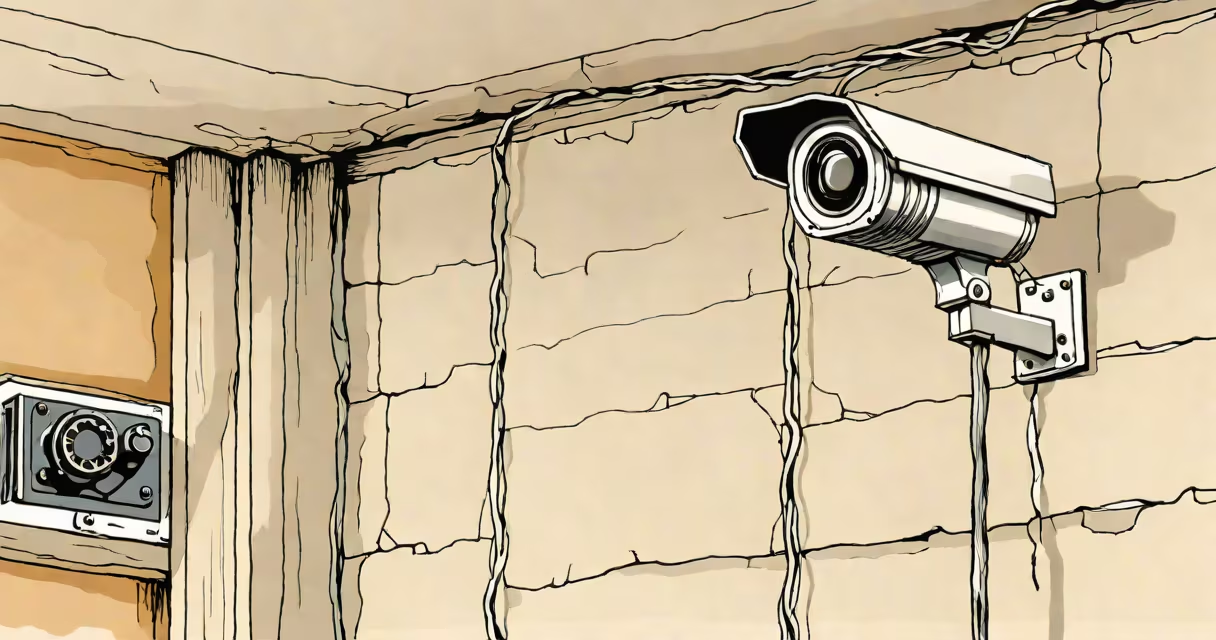
An IP camera is a digital video surveillance device that transmits video footage over a network using Internet Protocol (IP). Unlike analog CCTV cameras, which require a separate recorder and coaxial cabling, IP cameras connect directly to a network via Ethernet or Wi-Fi and stream video to a central system or cloud storage.
These devices function as standalone units with built-in processing, audio input, motion detection, and often support for night vision and weatherproof enclosures. They are widely used in homes, businesses, schools, and public infrastructure for continuous visual monitoring and security enforcement.
According to the National Institute of Standards and Technology (NIST), IP cameras are increasingly adopted in critical infrastructure due to their integration with existing IT systems and scalability. The Federal Bureau of Investigation (FBI) notes that IP-based surveillance reduces response time in incident investigations by enabling immediate access to recorded footage from multiple locations.
How It Works
Each IP camera has a unique IP address assigned by a network's DHCP server or manually configured. Once connected to a local network or the internet, the camera streams video data in real time using protocols such as RTSP (Real-Time Streaming Protocol) or HTTP.
Video can be accessed through a web browser, mobile app, or integrated software platform. Most models allow users to set motion triggers, adjust resolution settings, and configure alerts sent to email or smartphone notifications. Advanced models support facial recognition, license plate reading, and AI-powered behavior analysis.
For example, a business owner using a Dahua IPC-HFW5442T1-AS camera can view live feeds from a remote location via the Dahua SmartPSS app. When motion is detected near a warehouse door, the system sends an alert with a timestamped clip, allowing quick verification and response.
Types of IP Cameras
IP cameras come in several configurations based on form factor, mounting method, and environmental resilience. The most common types include:
| Type | Use Case | Key Feature | Example |
|---|---|---|---|
| Dome Camera | Indoor or outdoor coverage | Discreet design, wide-angle lens | Bosch DIN-2000 series |
| Bullet Camera | Long-range outdoor surveillance | Weather-resistant housing, 360° rotation | Hikvision DS-2CD2347G2-IZS |
| PTZ Camera | Tracking moving objects | Motorized pan-tilt-zoom control | Axis Q1645-LE |
| Hidden Camera | Covert monitoring | Small size, disguised as everyday objects | Miniature camera disguised as a smoke detector |
Some models support PoE (Power over Ethernet), eliminating the need for a separate power supply. This simplifies installation and reduces wiring complexity. For instance, the Reolink Argus 4 Pro uses PoE and connects to a router via a single Cat 6 cable.
Common Misconceptions and Key Distinctions
Many people confuse IP cameras with traditional analog CCTV systems. While both capture video, analog systems rely on coaxial cables and a DVR (Digital Video Recorder) to store footage locally. IP cameras bypass the need for a DVR by storing video on a network-attached storage (NAS) device or cloud service.
A critical difference lies in bandwidth usage. An IP camera streaming 1080p video at 30 fps requires approximately 4 Mbps per stream. Running multiple high-resolution streams simultaneously can saturate a standard home network. A 2022 study by the University of California, Berkeley, found that unoptimized IP camera networks caused latency spikes during peak hours in urban residential areas.
Another misconception is that all IP cameras are secure by default. In reality, many consumer-grade models ship with weak default passwords and lack end-to-end encryption. The FBI has issued warnings about hackers exploiting exposed IP cameras to spy on homes and businesses. In 2021, a flaw in certain TP-Link cameras allowed remote access without authentication, leading to widespread breaches.
Practical Applications and Real-World Examples
IP cameras are used across industries. Retail stores deploy them to monitor customer traffic patterns and prevent theft. A supermarket chain in Texas reduced shoplifting incidents by 37% after installing IP cameras at checkout lanes and entrances, according to a 2023 report by the National Retail Federation.
In education, school districts use IP cameras to monitor hallways and playgrounds. During a 2022 incident at a high school in Colorado, footage from an IP camera helped identify a student involved in a physical altercation, leading to disciplinary action and improved safety protocols.
I once installed a pair of Axis M3045-V cameras at my sister's small café. The setup required connecting each camera to a PoE switch, assigning static IPs, and configuring the NVR (Network Video Recorder) software. After setting up motion zones around the front door and kitchen entrance, the system triggered alerts when unauthorized entry occurred after closing hours. The footage was accessible remotely via a secure login, and backups were stored on a local NAS drive.
What to Check If Your IP Camera Isn't Working
If your camera fails to appear in your monitoring software, verify the following:
When troubleshooting, always start with basic connectivity. A faulty Ethernet cable or misconfigured VLAN can prevent discovery even if the camera powers on correctly.
Understanding what is an IP camera means recognizing it as a networked device that combines video capture, processing, and transmission. Its ability to integrate with broader security ecosystems makes it essential for modern surveillance. Whether protecting a home or managing a corporate campus, IP cameras deliver scalable, intelligent monitoring with remote accessibility.