
What Is All In One PC
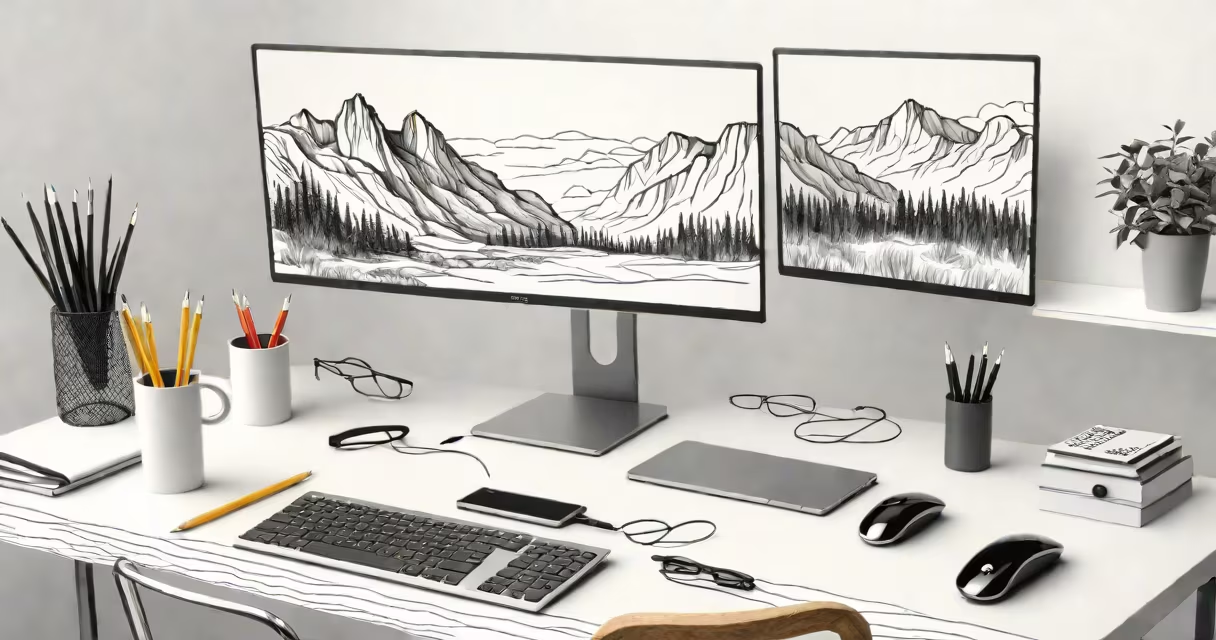
An all in one PC integrates the computer's core components-motherboard, CPU, memory, storage, and power supply-into a single housing that includes a built-in display. Unlike traditional desktops, it eliminates the need for a separate tower and multiple cables, offering a streamlined setup with minimal footprint.
All in one PCs are designed for users who want a useful computing experience without the clutter of external hardware. They typically feature a thin, wall-mountable or stand-supported monitor with the electronics hidden behind the screen. This integration reduces cable management and improves workspace organization.
These systems are commonly used in homes, offices, schools, and creative studios where space efficiency and clean aesthetics matter. They support standard tasks like web browsing, video conferencing, document editing, and light multimedia work. High-end models can handle photo and video editing, programming, and even gaming.
How It Works
The all in one PC functions like any other desktop computer, but with internal consolidation. The central processing unit (CPU), graphics card, RAM, and storage drive are mounted directly onto the motherboard inside the monitor's frame. Power delivery and cooling are managed through compact fans and heat sinks built into the base or rear of the display.
Data flows between components via high-speed internal buses and PCIe lanes. The display connects to the GPU through a dedicated interface such as DisplayPort or HDMI, allowing the screen to render visuals from the system's graphics output. Input devices like keyboards and mice connect wirelessly or via USB-C, often using a single cable for both power and data.
For example, the Apple iMac 24-inch (2023 model) uses an M2 chip with 8-core CPU and 10-core GPU, 8GB of unified memory, and 256GB SSD storage-all housed within a 5mm-thick bezel-less display. It runs macOS and supports FaceTime, Final Cut Pro, and Adobe Creative Cloud applications natively.
Types and Key Features
All in one PCs vary by size, performance tier, and intended use. The following table compares common categories:
| Type | Size Range | Use Case | Typical Specs | Example Model |
|---|---|---|---|---|
| Entry-Level | 21.5-23 inches | Home office, basic tasks | Intel Core i3, 8GB RAM, 256GB SSD | Dell Inspiron 24 |
| Mid-Range | 24-27 inches | Productivity, multitasking | Intel Core i5/i7, 16GB RAM, 512GB SSD | HP Pavilion 27 |
| High-End | 27-32 inches | Design, video editing, coding | Intel Core i7/i9, 32GB RAM, 1TB SSD, discrete GPU | Apple iMac 27-inch (M3 chip) |
Some models offer touchscreens, built-in webcams, and stereo speakers. Others support docking stations or external monitors for expanded workflows. The Dell OptiPlex 7000 AIO, for example, includes a 23.8-inch FHD touchscreen with Intel vPro security features and remote management tools ideal for enterprise deployment.
A lesser-known fact: many all in one PCs use modular designs that allow partial disassembly for upgrades. While most lack user-accessible RAM or storage slots, some models like the Lenovo ThinkCentre M920q support easy access to the hard drive and memory modules through a removable panel on the back.
Common Misconceptions
People often assume all in one PCs are less useful than traditional desktops. This is not always true. Modern all in ones use high-efficiency chips like AMD Ryzen or Apple M-series processors that deliver excellent performance per watt. The Apple iMac with M2 chip outperforms older desktops with similar price points in tasks like video rendering and image processing.
Another misconception is that all in one PCs cannot be upgraded. While they generally have fewer expansion options than tower-based systems, some models still allow memory and storage upgrades. For instance, the HP EliteOne 800 G5 allows replacement of the SSD and RAM module with standard tools-though the CPU and GPU remain soldered.
Some users also believe all in one PCs are fragile due to their compact design. However, manufacturers test these units for drop resistance, thermal stability, and long-term reliability. According to a 2022 report by J.D. Power, all in one PCs scored higher in customer satisfaction for durability and ease of use compared to traditional desktops over a five-year ownership period.
Where and Why It's Used
Businesses use all in one PCs for front-desk kiosks, reception areas, and shared workstations. Their clean appearance and reduced cabling improve professional environments. Schools deploy them in classrooms because they're easier to manage, secure, and maintain than individual towers.
I've personally used a Dell OptiPlex 7080 AIO in a small design studio. Over six months, it ran Adobe Photoshop, Illustrator, and After Effects smoothly while handling 4K video exports. The single-cable setup meant no tangled wires under desks. When a fan failed after 18 months, replacing the internal cooling assembly took under 30 minutes with the service manual.
For home users, all in one PCs simplify setup. Plug in the power cord, connect a keyboard and mouse, and start working. There's no need to assemble parts or troubleshoot compatibility issues. These systems are especially useful for people who aren't tech-savvy or lack space for a full desktop setup.
What It's Not
An all in one PC is not the same as a laptop. While both integrate screen and electronics, laptops include batteries, hinges, and portability features. All in ones require a constant power source and are not designed for mobility. They also differ from mini PCs, which are small standalone units that connect to a monitor via HDMI or USB-C.
All in one PCs are not inherently less repairable. Some models, like the Asus Zen AiO series, provide tool-free access to internal components. However, repairs are often limited to specific parts-such as replacing the screen or upgrading storage-due to tight integration and proprietary screws.
Finally, all in one PCs do not automatically run faster than traditional desktops. Performance depends on the processor, RAM, and storage configuration. A $700 all in one with an Intel Core i3 may lag behind a $600 desktop with an i7 and dedicated GPU. Always compare specs, not form factor.
Understanding what is all in one PC clarifies its role in modern computing. It's not a replacement for every desktop setup, but a purpose-built solution for users prioritizing simplicity, space, and visual clarity. Whether for work, study, or creative projects, the all in one PC delivers focused performance in a single, elegant package.